


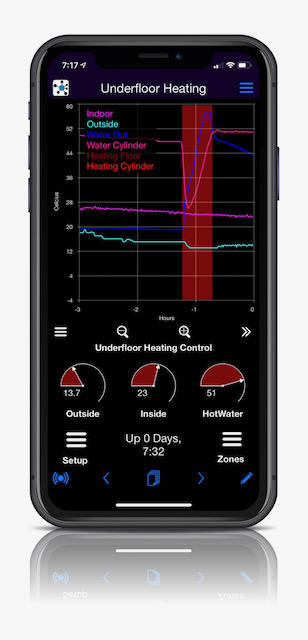
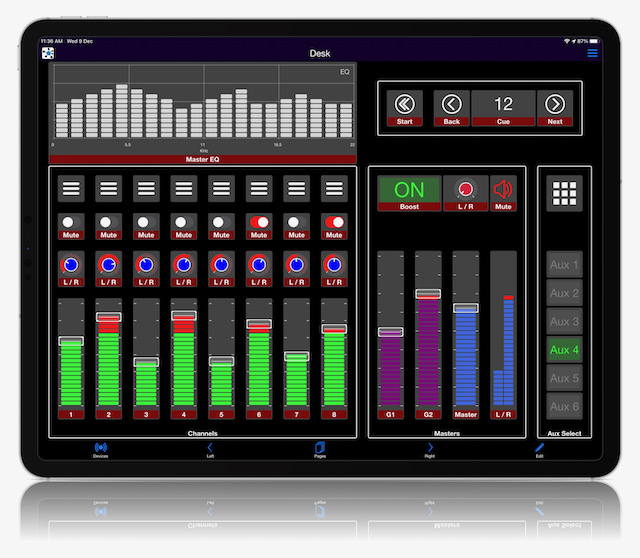
A Python library that connects your project to the Dash IoT app, over your local network (TCP), from anywhere through the Dash server (MQTT), or over Bluetooth LE on Linux. You create controls in Python (dials, knobs, sliders, buttons, text boxes, time graphs, maps, event logs...), give them values, and handle what the app sends back. Lay them out from your code, or design the layout in the app itself. There's no app or web code to write.
- TCP on your local network, the Dash server, and Bluetooth LE on Linux (experimental), separately or together.
- Layouts for phones, fold out phones and tablets, designed in the app or built in Python.
- Notifications to your phone, through the Dash server.
- Provisioning from the app: the device name, WiFi, Dash server login, and your own settings in the app's provisioning menu.
- History for time graphs, event logs and maps, kept in sqlite and uploaded to the Dash server, for devices that are only online now and then.
It's the Python counterpart of the Arduino DashIO libraries, and speaks the same protocol. It's also the quickest way to prototype a device and design its layout before writing firmware.

| Apple | Android |
|---|---|
 |
 |
TCP and BLE are free. To reach your device from anywhere, create an account on dashio.io. More at dashio.io, and on Discord.
Python 3.11 or later.
pip3 install dashiopip installs the other dependencies. For Bluetooth LE on Linux, pip3 install dashio[ble]. To work on the library, clone it and pip3 install -e ..
A knob that moves a dial, on your local network. This is Examples/ex03.py:
# Examples/ex03.py
import dashio
import time

device = dashio.Device("aDeviceType", "aDeviceID", "aDeviceName")
tcp_con = dashio.TCPConnection()
tcp_con.add_device(device)
first_dial_control = dashio.Dial("dial1", control_position=dashio.ControlPosition(0.24, 0.36, 0.54, 0.26))
device.add_control(first_dial_control)

dv = dashio.DeviceView("aView", "A Dial")
dv.add_control(first_dial_control)
device.add_control(dv)


def knob_event_handler(msg):
    first_dial_control.dial_value = float(msg[3])


aknob = dashio.Knob("aKNB", control_position=dashio.ControlPosition(0.24, 0.14, 0.54, 0.26))
aknob.add_receive_message_callback(knob_event_handler)
dv.add_control(aknob)
device.add_control(aknob)

while True:
    time.sleep(1)
Run it, then add the device in the Dash app: it's found on the local network. Turn the knob, and the dial follows. Getting started goes on from here.
- Create the controls in Python, with IDs of up to 7 characters, and run the device over TCP.
- Design the layout in the Dash app, and export it. Or build it in Python with
generate_cfg64(). - Load the layout into the device, with
cfg_dictoradd_cfg64(), and handle the app's messages in the controls' callbacks. - Change the layout later by raising its cfgRev, so the app fetches the new one.
- Connect to the Dash server to reach the device from anywhere, send notifications and keep history.
The same layout works on Arduino firmware with controls of the same types and IDs. docs/layouts.md covers each step.
| Getting started | From a dial on your phone to a device you can reach from anywhere |
| Layouts | Designing, generating and loading layouts; Menus and the provisioning menu |
| Controls | Every control: its settings, its values, and what its callbacks receive |
| The Device | Controls, provisioning from the app, reset, the clock |
| Connections | The Dash server, TCP, Bluetooth LE and ZMQ |
| Storing history | Time graph, event log and map history, on the device and the Dash server |
| Exporting data | dashio_data_exporter: history from the Dash server, as text or CSV |
| Examples | ex01–ex06 from the docs; greenhouse, server_monitor and intermittent_connection.py are complete applications |
The library installs three commands. Run any of them with -h for its options.
| Command | |
|---|---|
c64_decode layout.c64 |
Decodes a CFG64 layout, e.g. one exported from the Dash app, to JSON |
c64_encode layout.json |
Encodes a JSON layout to CFG64, optionally formatted for C or Python code with -f |
dashio_data_exporter -u USERNAME -p PASSWORD -d DEVICE_ID -c CONTROL_ID |
Exports time graph or event log history from the Dash server (docs) |
skills/python-dashio is a Claude Code skill that teaches Claude how to use this library, and how to make layouts for Arduino and zephyr-dashio firmware: copy or link it into your project's .claude/skills/ directory.
CLAUDE.md describes the code, and how to run the tests and lint.
MIT, see LICENSE.