


Aspid.Collections provides observable collections for Unity and .NET. React to changes in an inventory or leaderboard, project models into view models, and keep filtered and sorted views up to date. The runtime is pure C# and has no Unity engine dependency.
English · Русский
 |
|
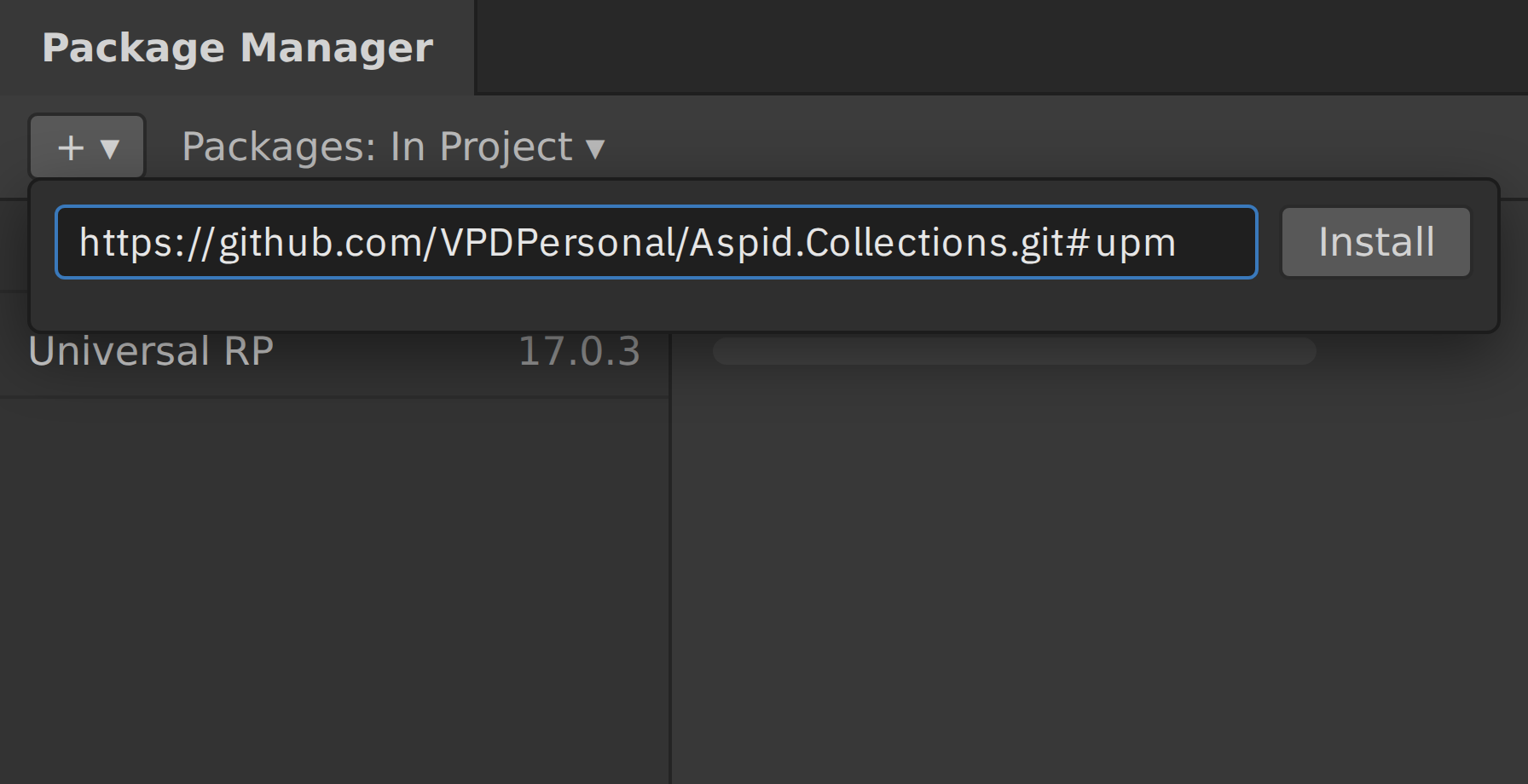
https://github.com/VPDPersonal/Aspid.Collections.git#upm
The URL installs the latest release. Update in the Package Manager installs the next one. To pin a version or switch channels, see Installation options.
Requires Unity 2021.3.0f1 or newer.
Troubleshooting
Compile errors right after the install. Check your Unity version in Help → About Unity (Unity → About Unity on macOS).
The Console shows Assembly with name 'Aspid.Collections.Observable' already exists. The project has a second copy of the package, for example its folder under Assets. Delete the copy.
Package Manager cannot resolve com.unity.test-framework@1.6.0. If you pinned #upm/1.1.0, switch to #upm/1.1.1 or update to the latest version on #upm. Version 1.1.1 removes this dependency. PR #20
using var items =
    new ObservableList<string>();
items.CollectionChanged += change =>
    Console.WriteLine(change.Action);

items.Add("Potion");       // Add
items[0] = "Elixir";       // Replace
items.RemoveAt(0); // Remove |
|
using var scores = new ObservableList<int>();
using var labels = scores.CreateSync(
    n => $"Score {n}");

scores.Add(10);
scores[0] = 20;
Console.WriteLine(labels[0]); // Score 20 |
|
using var scores =
    new ObservableList<int> { 25, 5, 15 };
using var visible = scores.CreateFiltered(
    n => n >= 10, Comparer<int>.Default);

scores.Add(12);
Console.WriteLine(
string.Join(", ", visible)); // 12, 15, 25 |
|
using var items =
    new ObservableList<string>();
using var events = items.SplitByEvents(
    added: (batch, _) =>
        Console.WriteLine(
            $"Added {batch.Count}"));

items.AddRange("Potion", "Elixir"); // Added 2 |
|
| Type | Use it for |
|---|---|
ObservableList<T> | Ordered items with indexes, moves and range operations |
ObservableDictionary<TKey, TValue> | Items addressed by key, as in the keyed leaderboard sample |
ObservableHashSet<T> | Unique items and membership checks |
ObservableQueue<T> | First-in, first-out processing with range operations |
ObservableStack<T> | Last-in, first-out processing with range operations |
Open Aspid.Collections/ from a clone of the source repository in Unity 6000.6.5f1. Unity loads the embedded package from Packages/tech.aspid.collections/. Run the tests in the Test Runner's PlayMode tab or use dotnet test DotnetTests/Aspid.Collections.Tests.csproj from the repository root to run the unit tests outside Unity. Source repository
| Unity samples | Runtime API | Changelog |
|---|---|---|
| In Package Manager, select Aspid.Collections → Samples → Import. Open the imported scene and enter Play mode. | Browse collection types, event arguments and extension methods. | See changes and fixes by release. |
To pin a version, use its upm/<version> tag, for example #upm/1.1.1. See the available releases.
Preview releases use the upm-preview branch when available.
Found a bug or have a question? Include your Unity version, package version and steps to reproduce.